Designing a collaborative trip planning system
Integrating collaborative trip planning into an AI travel app to make it easier for multiple travelers to plan the same trip together.
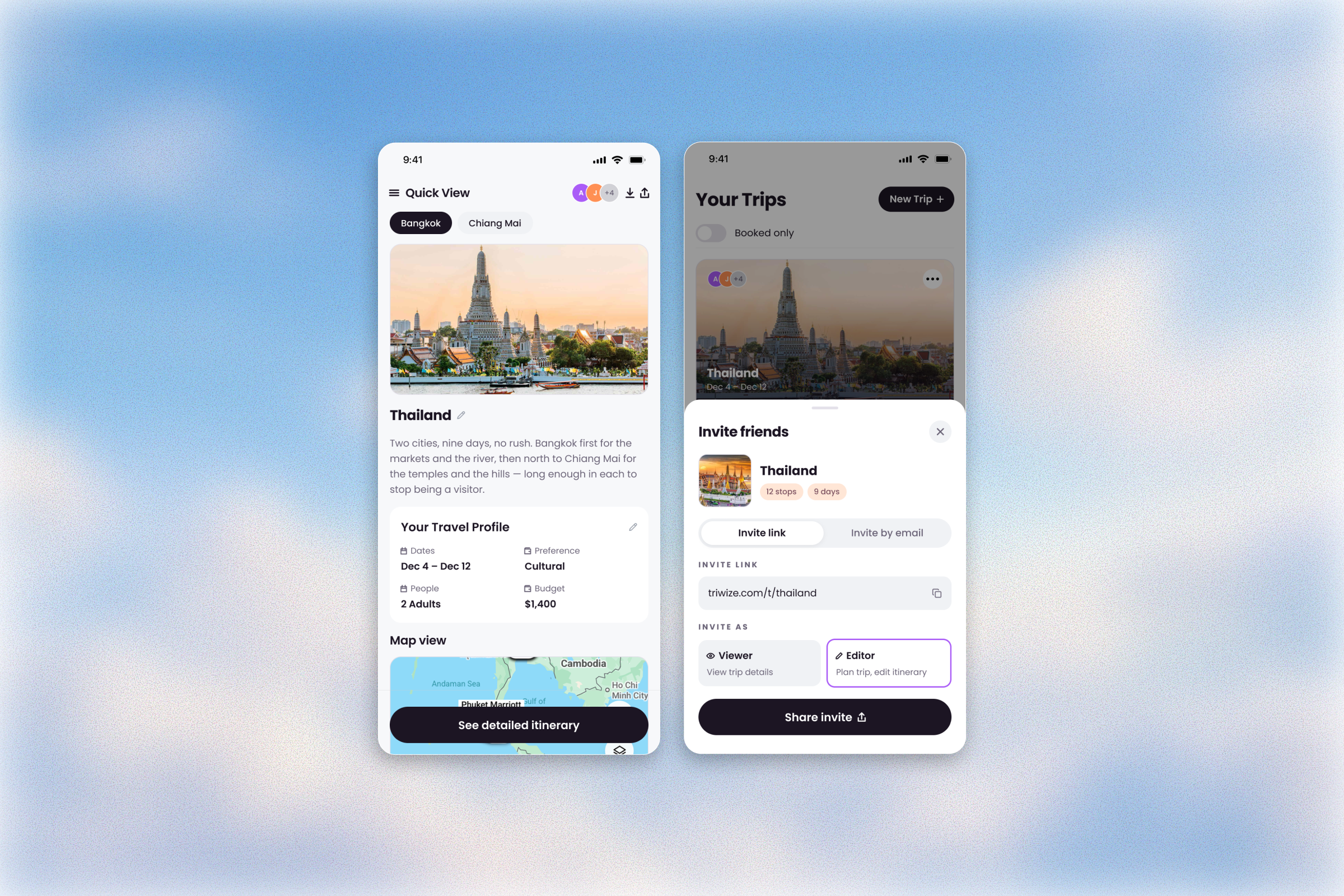
- Role
- Sole Product Designer, Strategist
- Timeline
- 4 weeks (May–June 2026)
- Team
- 2 founders
- Client
- Triwize Journeys
- Platform
- Responsive web app
- Status
- In development
My Role
As the sole designer for this project, I worked closely with Triwize’s two co-founders over four weeks to define and design the Collaboration journey from the ground up. It was the first of three Phase 2 initiatives I led over three months, and the first project I took on after joining as a contractor. My work included defining the scope, design research, competitive analysis, user archetypes, feature definition and PRDs, user journeys, flows, information architecture and mid-fi prototypes covering the main user flows and key edge cases. The designs are currently in development.
Context
From planning a trip alone to planning it together
Triwize’s Smart Planning Platform (SPP) is an AI-powered travel planning app that helps users discover, plan and book their trips all in one place. For Phase 2, the product was expanding beyond individual trip planning to support collaborative trip planning, allowing multiple travelers to plan the same trip together.
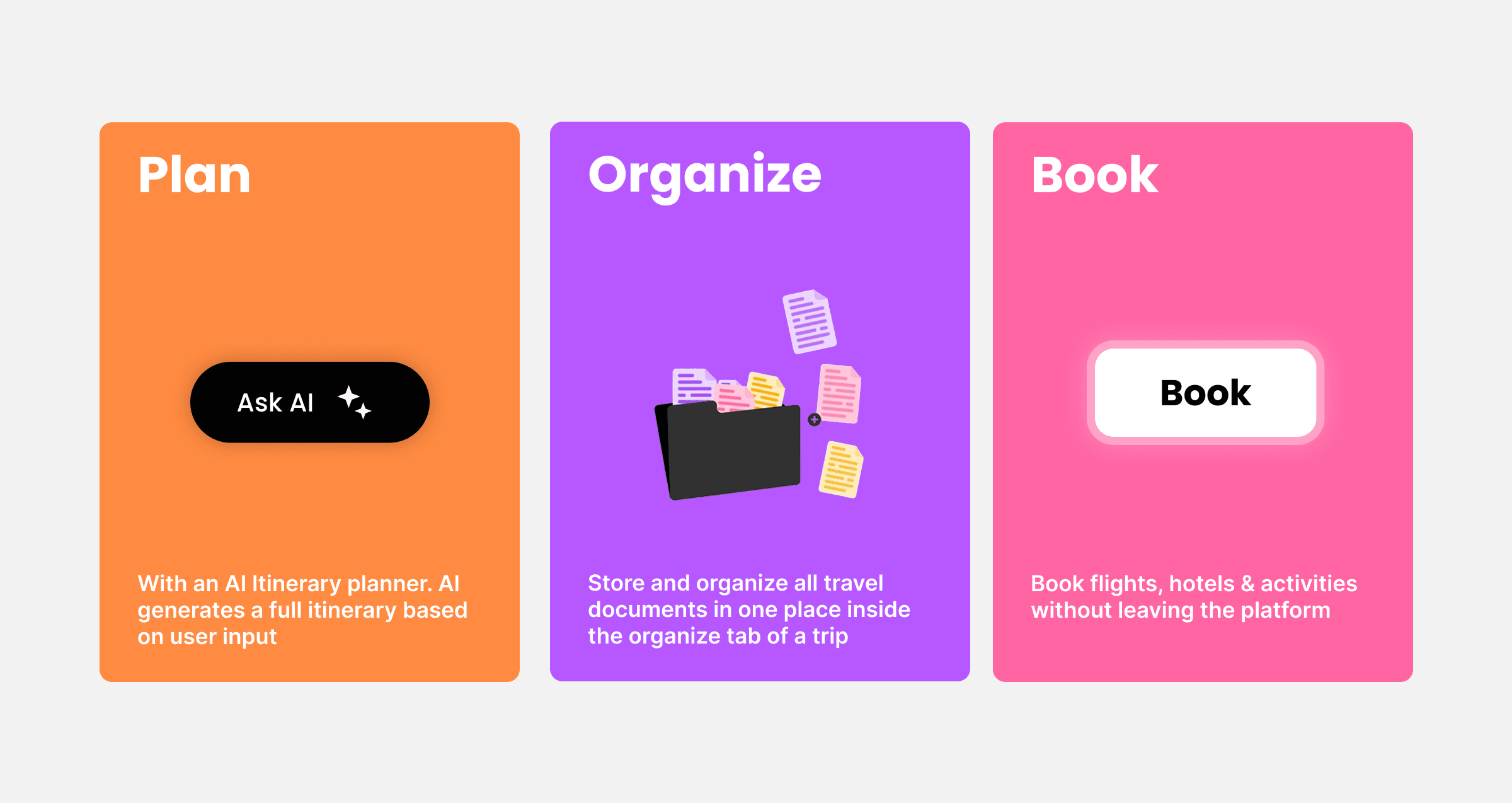
Right now, in Triwize’s Smart Planning Platform (SPP), travelers can:
The Opportunity
Planning a trip together with friends can be messy
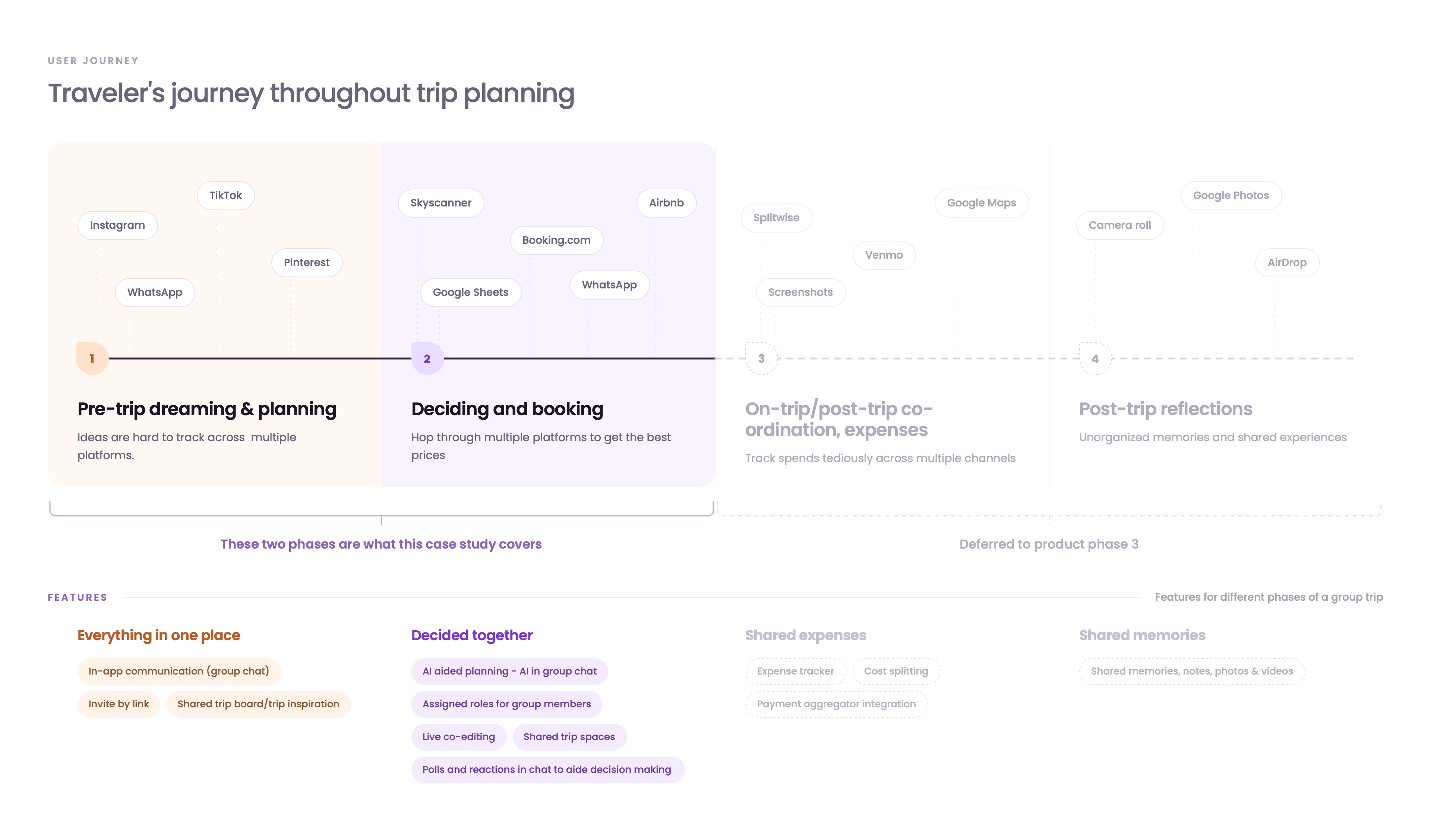
Most people don’t travel alone. Friends decide where to go together. Someone finds a hotel, another person researches restaurants and eventually someone has to pull everything together into an actual plan. Users jump from social media to flight booking platforms to messaging apps and more to plan a trip with friends.
Triwize saw an opportunity to combine these fragmented parts of travel planning into one seamless experience.
Goals
Business goals
Grow the user base by bringing new users in to collaborate on trips and increase group bookings. Increase engagement by keeping people on Triwize for all their planning needs.
Product & user goals
Make collaborating on a trip simpler and more seamless and help groups accomplish their entire trip plan on one platform. Jumping between apps is what turns planning into something chaotic and unorganized.
The Problem
Group planning isn’t equal participation
This was one of the most important findings from the available research.
- One person usually takes the lead. They may be the person who creates the trip, coordinates everyone or ultimately brings all the decisions together.
- At the same time, the other people in the group don’t necessarily want the same level of control. Some might want to actively plan the itinerary. Others don’t want to be involved in planning at all.
So What?
How can we make a group trip feel like a shared workspace where everyone can contribute in their own way?
To design that, I noted down all the questions I needed to answer for the different scenarios in collaborative trip planning.
- How does a user invite collaborators?
- How much access does a collaborator have?
- Who manages that access, how do they manage it, and how much authority do they have?
- In what ways do co-travelers collaborate with each other?
Understanding Users
Three ways people show up in a group trip
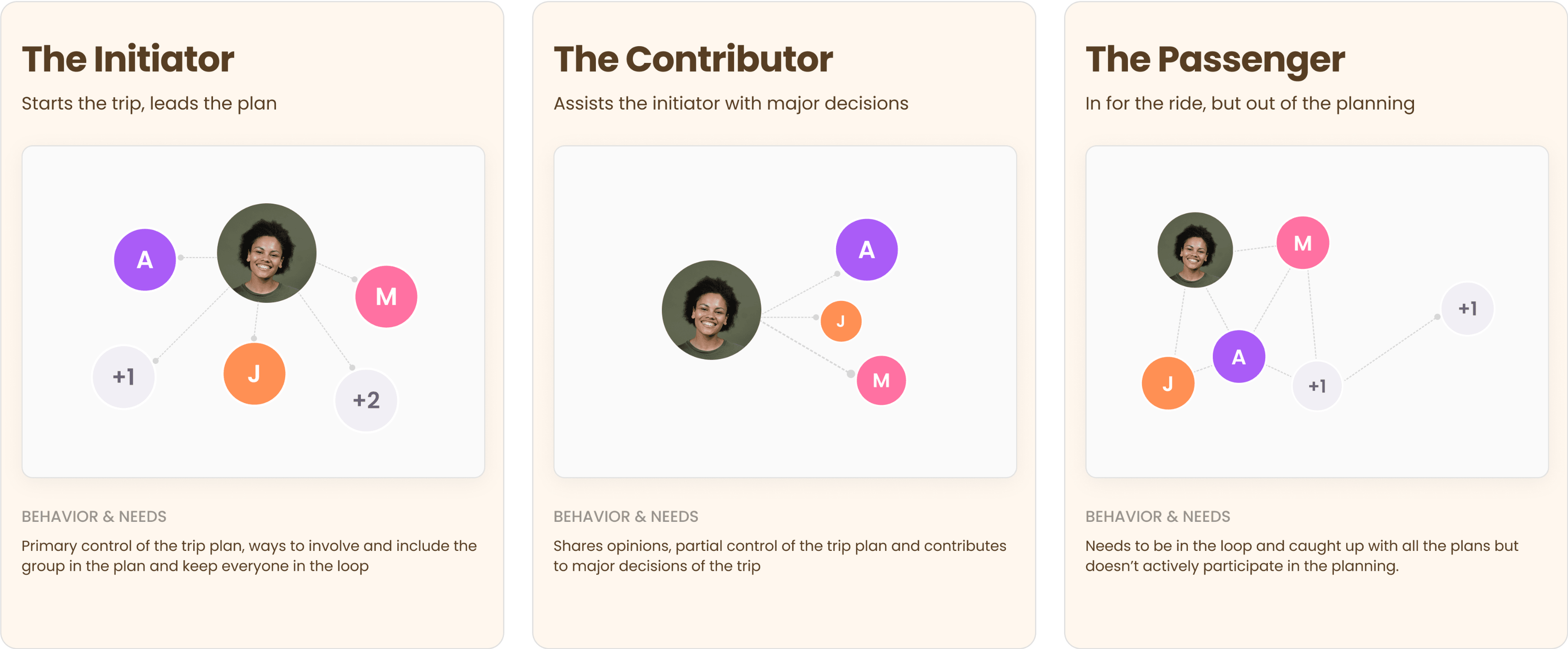
I identified three user archetypes that had distinct behaviors and needs. Each user group’s behavior defined the level of control they had in trip planning.
Defining the collaboration model
I translated each user group’s behaviors into three participation levels. I didn’t want roles to become unnecessarily restrictive. An Editor should still feel like a collaborator, not like a guest with limited access.
- Admin
- The person who owns and coordinates the trip.
- Editor
- A co-traveler who actively participates in planning.
- Viewer
- Someone who doesn’t actively contribute to trip planning but needs to be kept in the loop.
Core Flows
Inviting people in
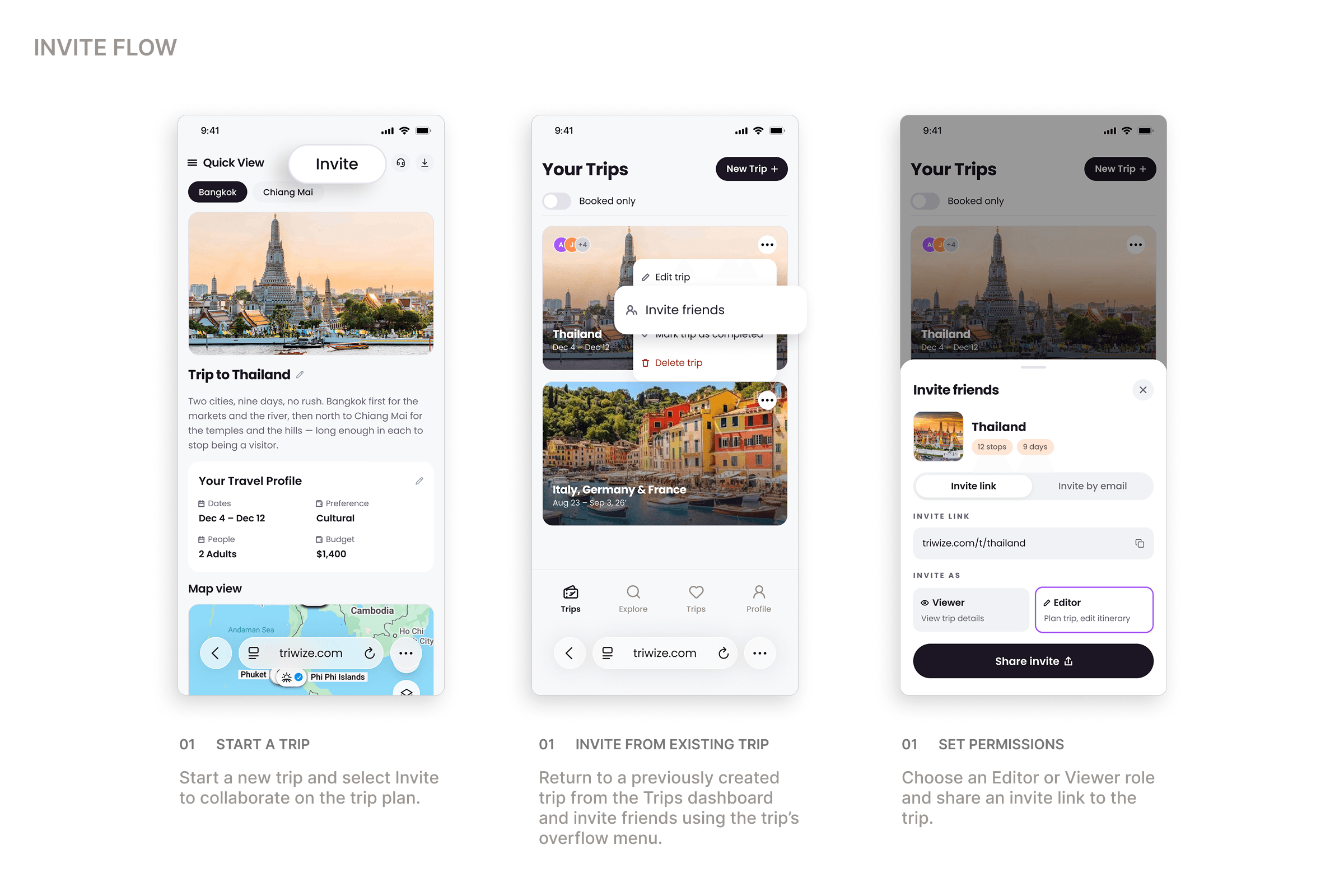
The first major interaction was getting someone into the trip. There are several ways to invite others: the first friend can be invited from the trip dashboard or from inside the trip itself. The person who starts the trip and invites the others naturally takes the role of Admin.
The Admin can invite people through a shareable link or by email, and choose whether each person joins as an Editor or a Viewer. For Editors, authentication matters, since editing requires an account. For Viewers, the experience can stay lighter: they only need to see the trip.
Working on the trip together
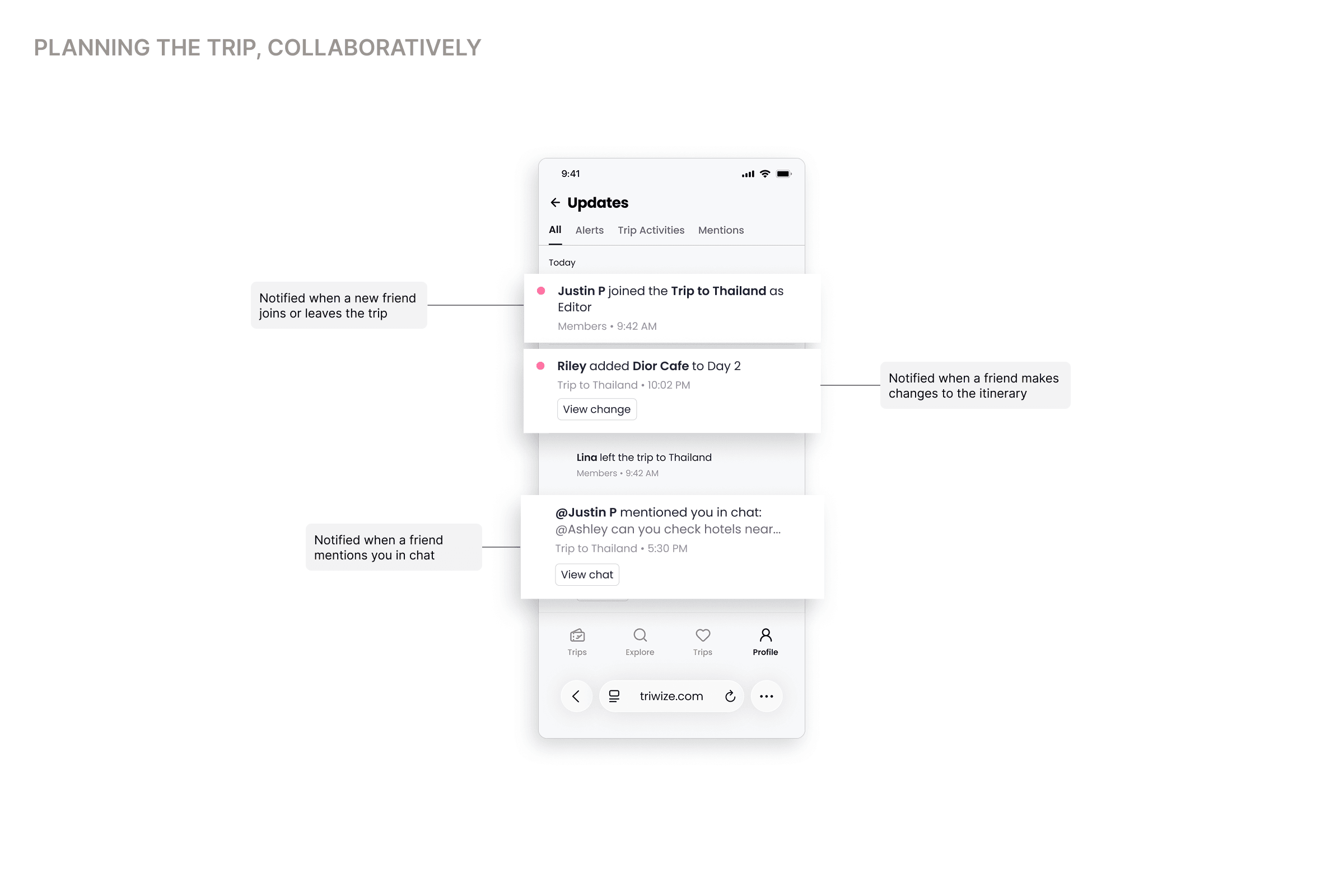
The Admin controls the access, everyone with access controls the trip
The Process
Starting with what already exists
Before designing anything new, I went through Phase 1 of the product end to end, reviewed the existing research and looked at how other travel platforms and adjacent social tools like WhatsApp and Discord handle group participation. This was important because collaboration couldn’t become a separate layer sitting on top of SPP. It had to feel like a natural extension of the existing trip planning model.
Validation
Walkthroughs with an early AI prototype and static mid-fi screens
The product was pre-launch, so there was no live traffic to validate against. Instead, I ran structured walkthroughs with the two founders and other team members, including design and engineering staff, to review the features and user flows end to end. These sessions helped resolve some confusion around chat, refine the navigation flow and surface additional edge cases. Given more time, I’d have run light usability tests on the permission model and user roles.
Final Designs
The shared trip, end to end
Outcome
Where it stands
The first release is in testing with forty groups. Time from first suggestion to a confirmed plan has dropped by about half, and the support question we designed against — asking whether something was decided — has largely stopped appearing.
Next is the part we deliberately left alone: what happens to an itinerary after the trip, when it becomes something you want to hand to a friend.